Make the distraction impossible.
DeepZone blocks distracting sites and apps at the system level on your Mac. Start a session in one click — then hand the unlock password to a friend, so quitting isn't an option.
Three steps, then it's out of your hands.
Choose what disappears
Sites, keywords, whole categories, and Mac apps on Pro. Save them as profiles — Deep Work, Study, Morning.
Name the work, start the clock
One line about what you're doing, one click on a duration. That line is what the block screen shows you later.
Take away the exit
Set a password and a timer. Or send a link to a friend and let them set a password you never see.
The password isn't yours to know.
Every blocker has a quit button, and the version of you that set the session isn't the one who finds it. You send a link, a friend types a password, and the session is genuinely out of your hands until the timer ends.
Works with anyone — partner, roommate, study group. They don't need DeepZone installed.
Download and try it freeFour screens. That's the whole product.
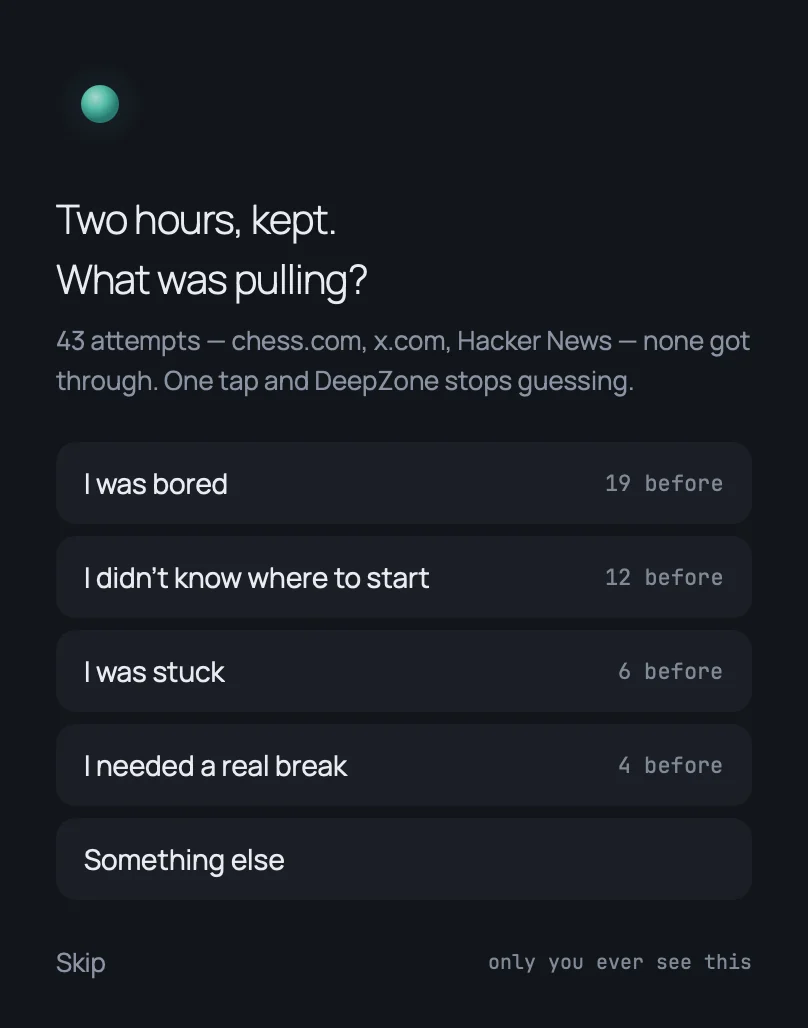
Name the work.
Then it's one click.
DeepZone asks one question before a session: what are you working on? Every screen after that answers back to it. No dock icon, no window, no setup.
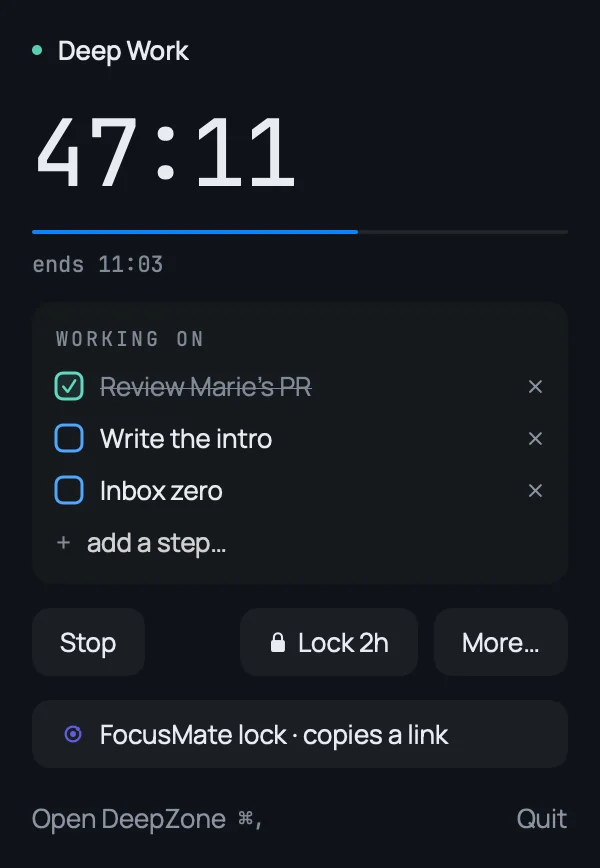
It doesn't scold you.
It reminds you.
No red, no lecture, no counter of your failures. One breath, and the sentence you wrote when you still had your judgement.
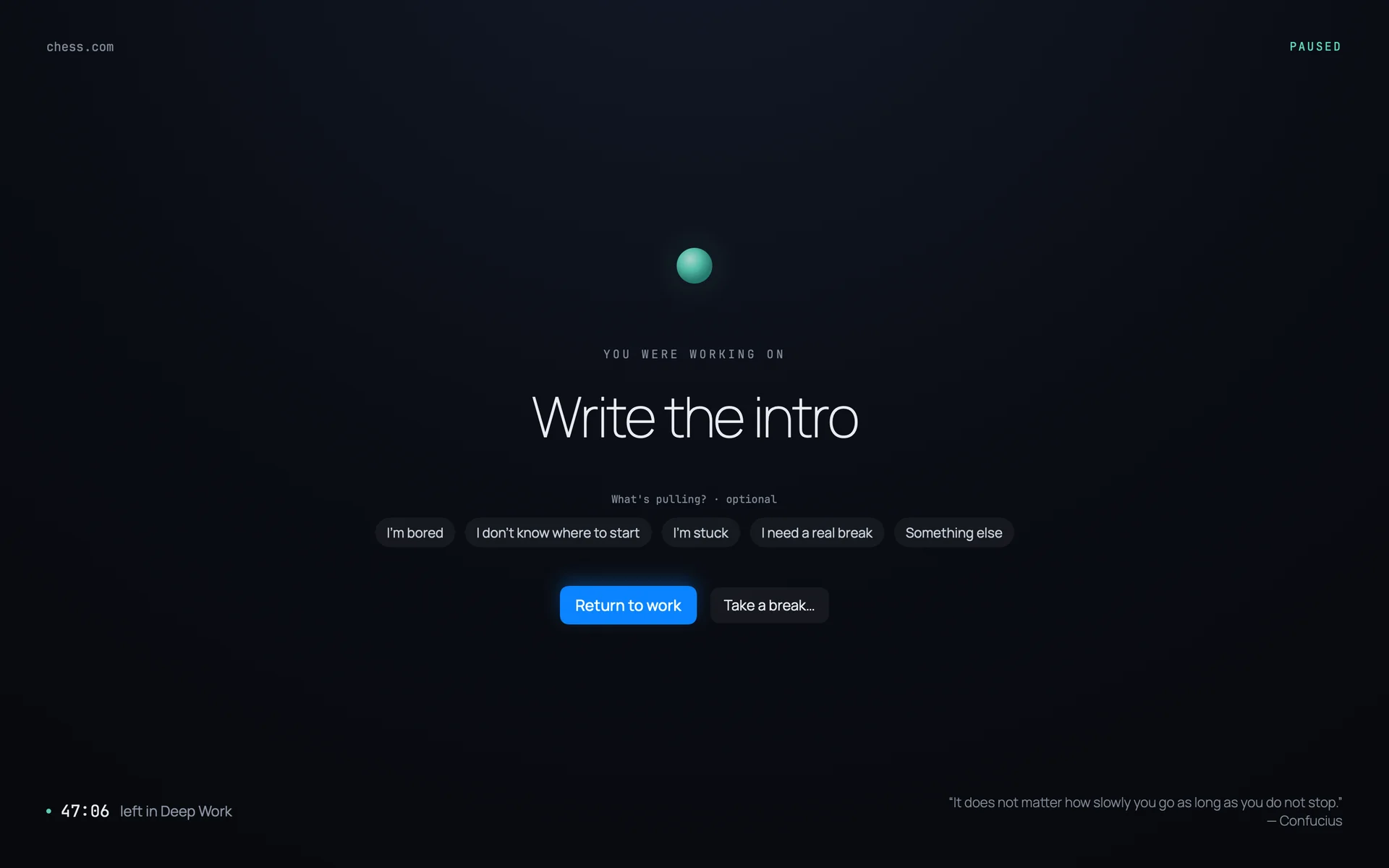
It learns when
you break.
Every blocker stops you and says nothing. DeepZone keeps a quiet record — what pulled, at what hour, and why you said you were leaving. Then it offers to block that hour for you.
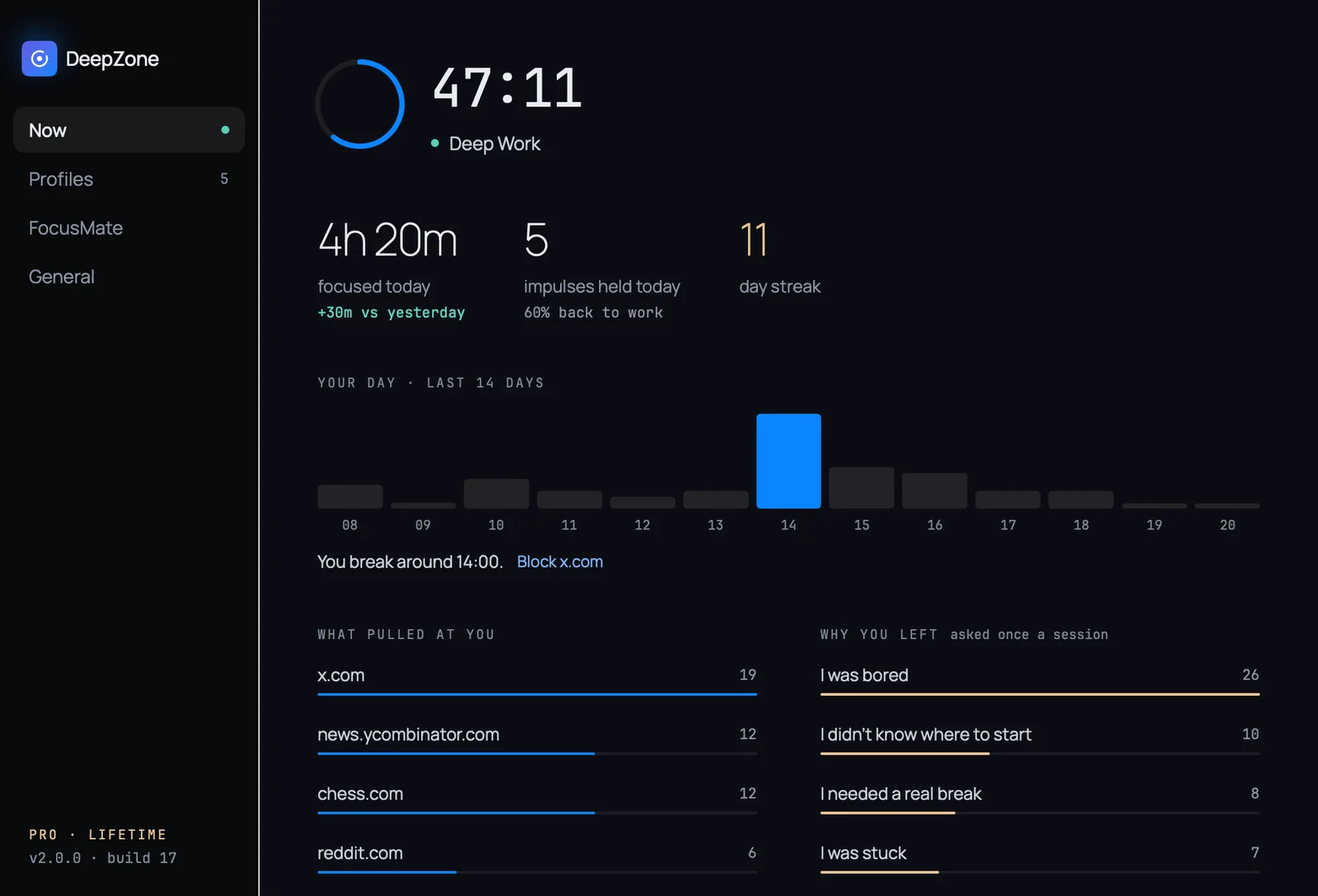
One question,
asked once.
Not forty-three times mid-session, when you're already gone. Once, at the end, when you can answer honestly — and DeepZone can act on it.
The rest of it, briefly.
Not an extension. Blocking happens at the system level, so Safari, Chrome, Arc and anything else you install go dark together.
Closing the tab does not help if the app is still there. Block Slack, Messages, games — anything that pulls you out.
A password and a timer, set by you. Settings, block lists and the quit button are all frozen until it expires.
Each profile gets its own block list and recurring hours. Mon–Fri, 8am to noon, blocking starts without you deciding to.
Allow only the sites you name; everything else is blocked. The strictest profile for writing, exams and deadlines.
Social, news, gaming — sorted by how often each one actually pulled at you this week, not alphabetically.
Pay once, or never.
The free tier isn't a trial. It doesn't expire, it doesn't nag, and it doesn't ask for an account. Pro is one payment — there is no subscription.
Forever. No account, no card.
Yours forever, plus 2 years of updates and priority support.
Set up in about a minute.
Download the DMG and drag DeepZone into Applications.
Launch it — it appears in your menu bar, not the dock.
Add the sites you lose hours to, and start a session.
Notarized by Apple. Profiles, block lists and browsing activity never leave your Mac — only anonymous product-usage events are measured.
Menu bar icon, name the work, pick a duration from 25 minutes to 4 hours. Sites go dark instantly.
Name a profile, give it its own sites and apps. Switch between them in one click.
Recurring windows per profile, e.g. Mon–Fri 8am to noon. Nothing to remember.
Block social, news or gaming wholesale, ranked by how often they pull at you.
Set a password and duration. Nothing changes until the timer expires or the password is entered.
Send a link. Your partner sets the password remotely — you never see it and cannot unlock it yourself.
Your attention is worth
defending properly.
Free download, no account. Set it up once and stop negotiating with yourself.
macOS 14 Sonoma or later · Apple Silicon & Intel
Talk to us.
Bug, billing question, or a feature you wish existed. DeepZone is early, and what you write actually changes the roadmap.